🚀 Getting started
🔌 Connect to onOffice
⚙️ Account settings
📋 Forms
🧱 Fields
🎨 Design & Branding
🔄 Pre-filling & Data Records
📨 Email in Propform
📊 Tracking & Webhooks
🔒 Data Protection
📚 Reference
❓ Frequently asked questions
Overview
My form isn't saving any data
Fields are not displayed
Email not arriving
File upload fails
UUID autofill isn't working
The form is not displaying correctly
Values are not passed to the PDF
Spam protection & bot defence
Multilingual forms
Tracking in an embedded form (iFrame)
Link multiple buyers/owners
Filters per form (record limit)
Duplicate a property when re-marketing it
Recalculate formula fields in onOffice
Address record with this UUID not found
Form has expired / Session has expired
🤝 Consultant workflow
🆘 Help & Advice
📰 What's new?
propform.io in the onOffice Marketplace
You need to enable propform.io once in the onOffice Marketplace — after that, you can access the form configurator from within onOffice at any time.
1. Activate the Marketplace
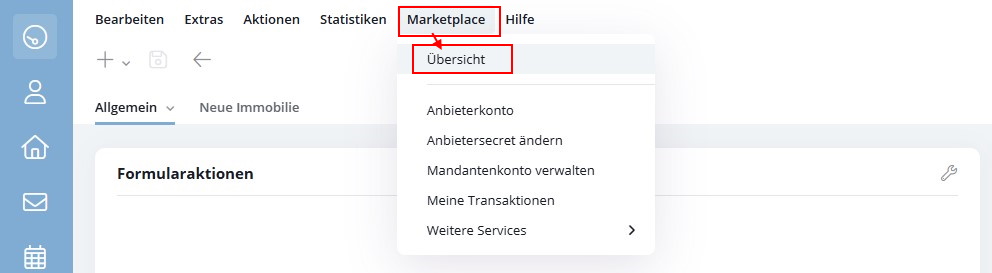
- In the onOffice menu bar, click on "Marketplace" → "Overview".
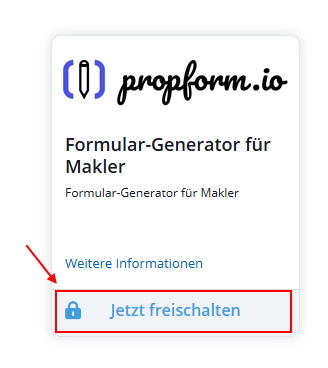
- Search for the service "propform.io" and click on "Activate now".
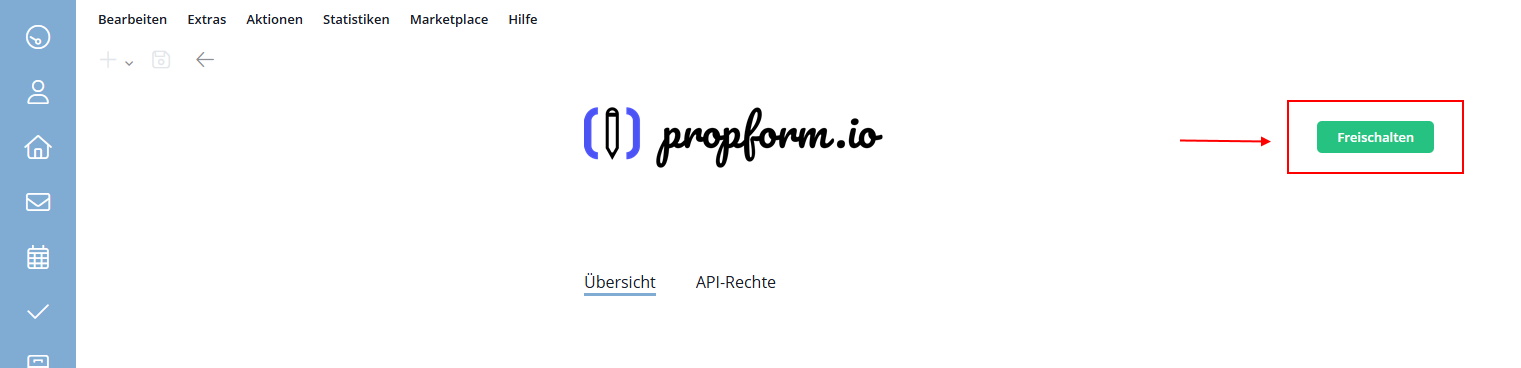
- You are now on the page describing the service. Click on the green "Activate" button in the top right-hand corner.
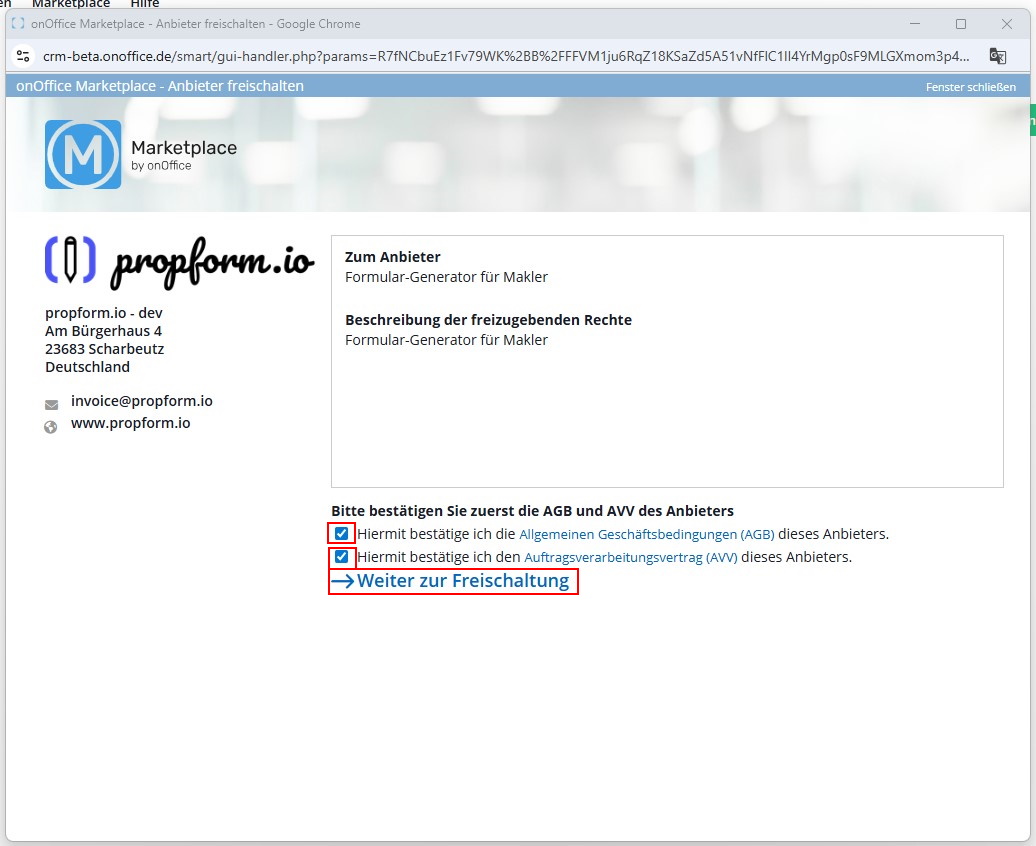
- A pop-up window will open. Tick both boxes to accept the Terms and Conditions and the General Terms and Conditions, then click on "→ Continue to activation".
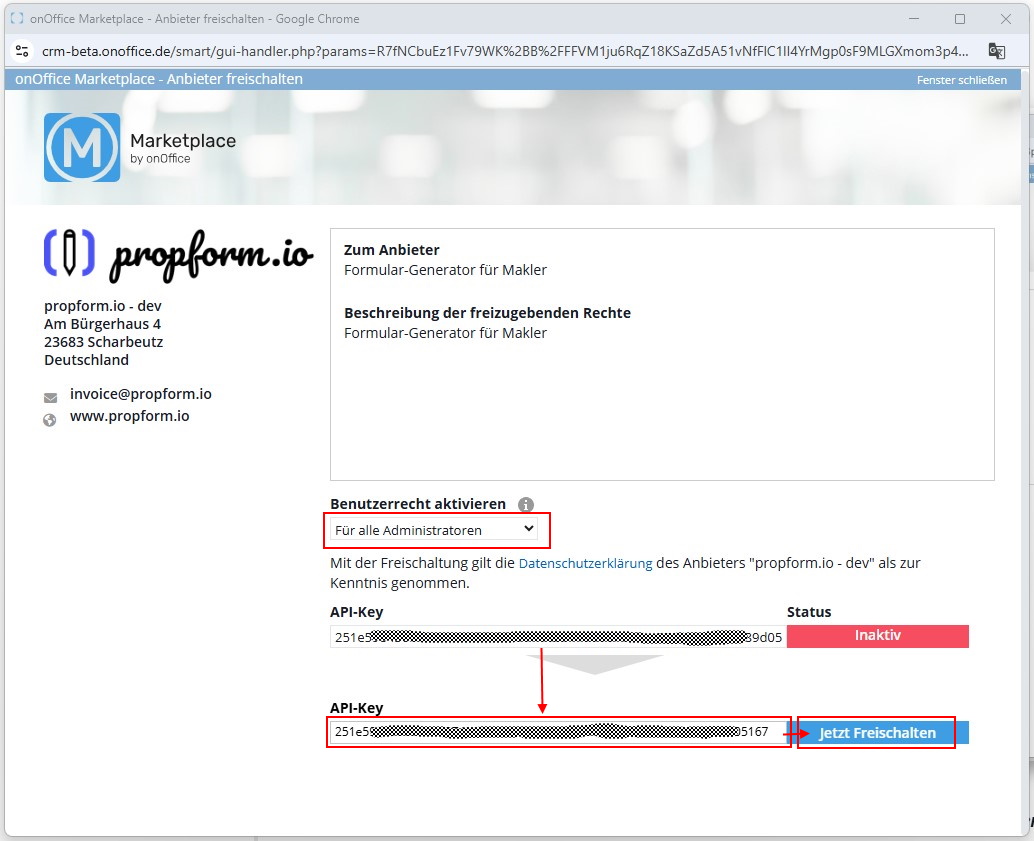
- Select who is allowed to access the service from their onOffice system: All users or only administrators. Then copy the API key displayed in the top field into the bottom field. Click "Activate now".
- You should see a success message confirming that the service has been successfully connected.
2. Accessing the Marketplace
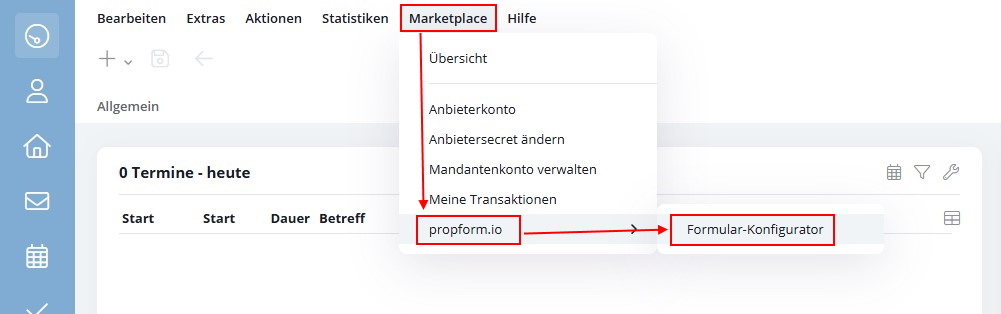
- In the onOffice menu bar, click on "Marketplace" → "propform.io" → "Form Configurator".
- When you access the service for the first time, you can either create a new propform.io account or, if you already have an account, connect your existing propform.io account.
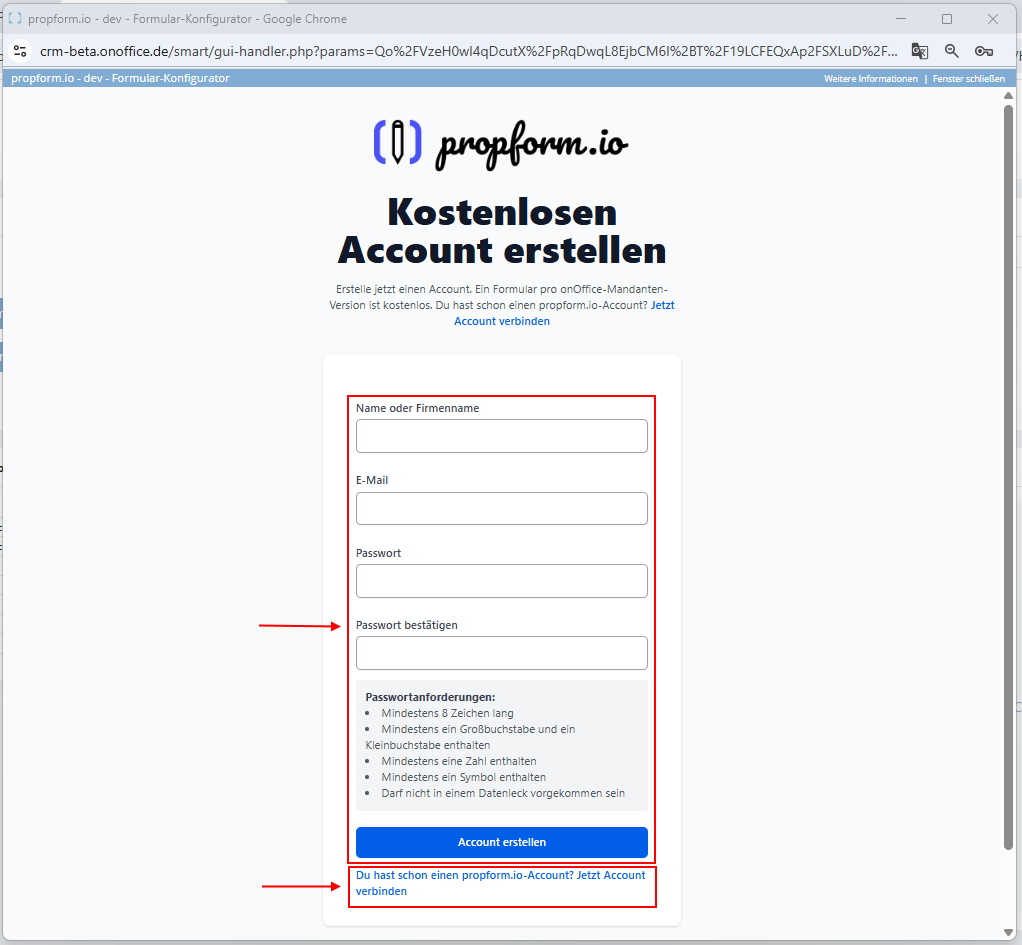
> If you create a new propform.io account, you will receive an account confirmation email in which you must click “Confirm email” before you can log in for the first time.
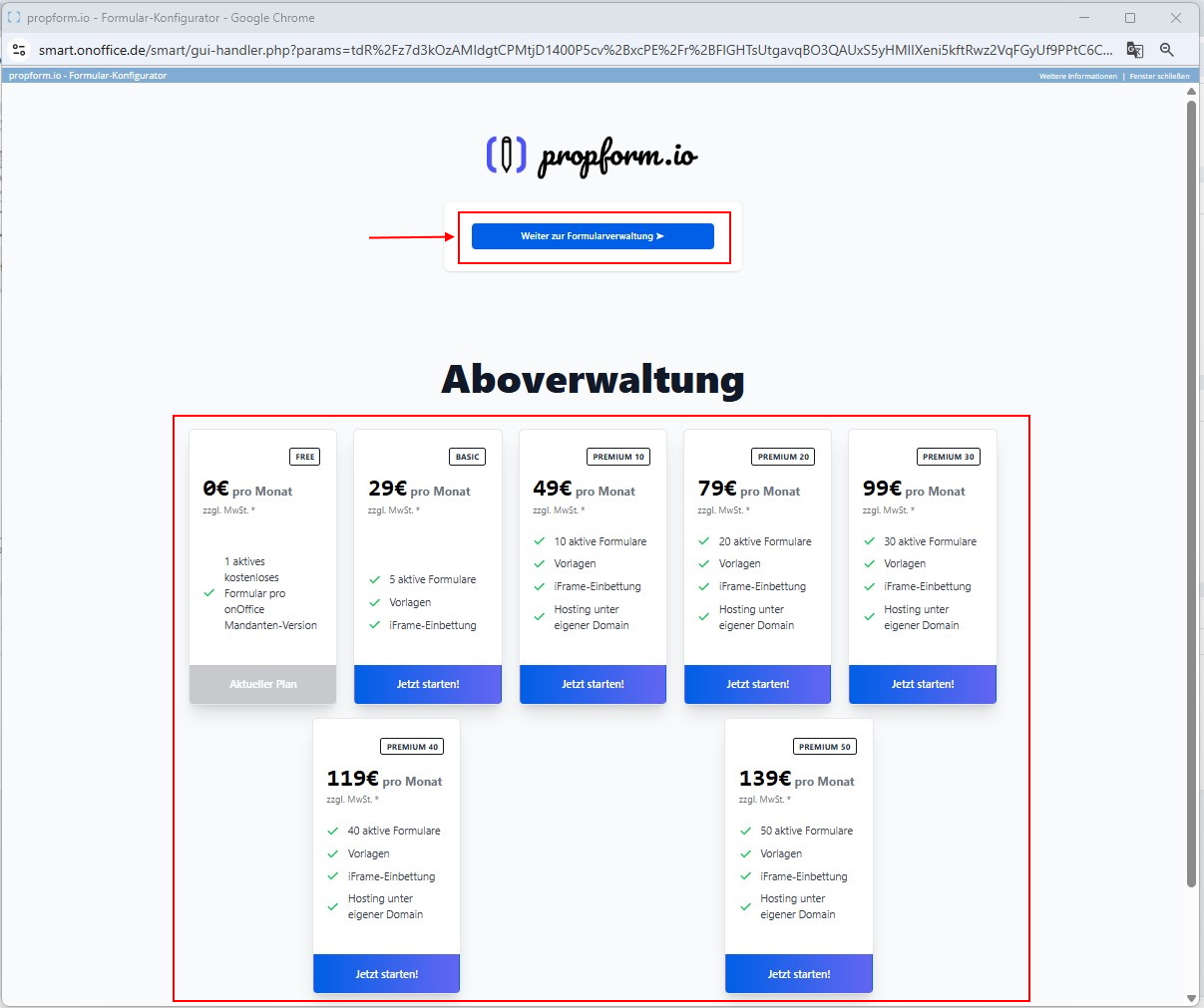
- Every time you access the service after that, you will see the following page. Clicking on "Continue to form management" will automatically redirect you to propform.io. You can manage your subscription in the lower section.