Field settings
Additional field settings
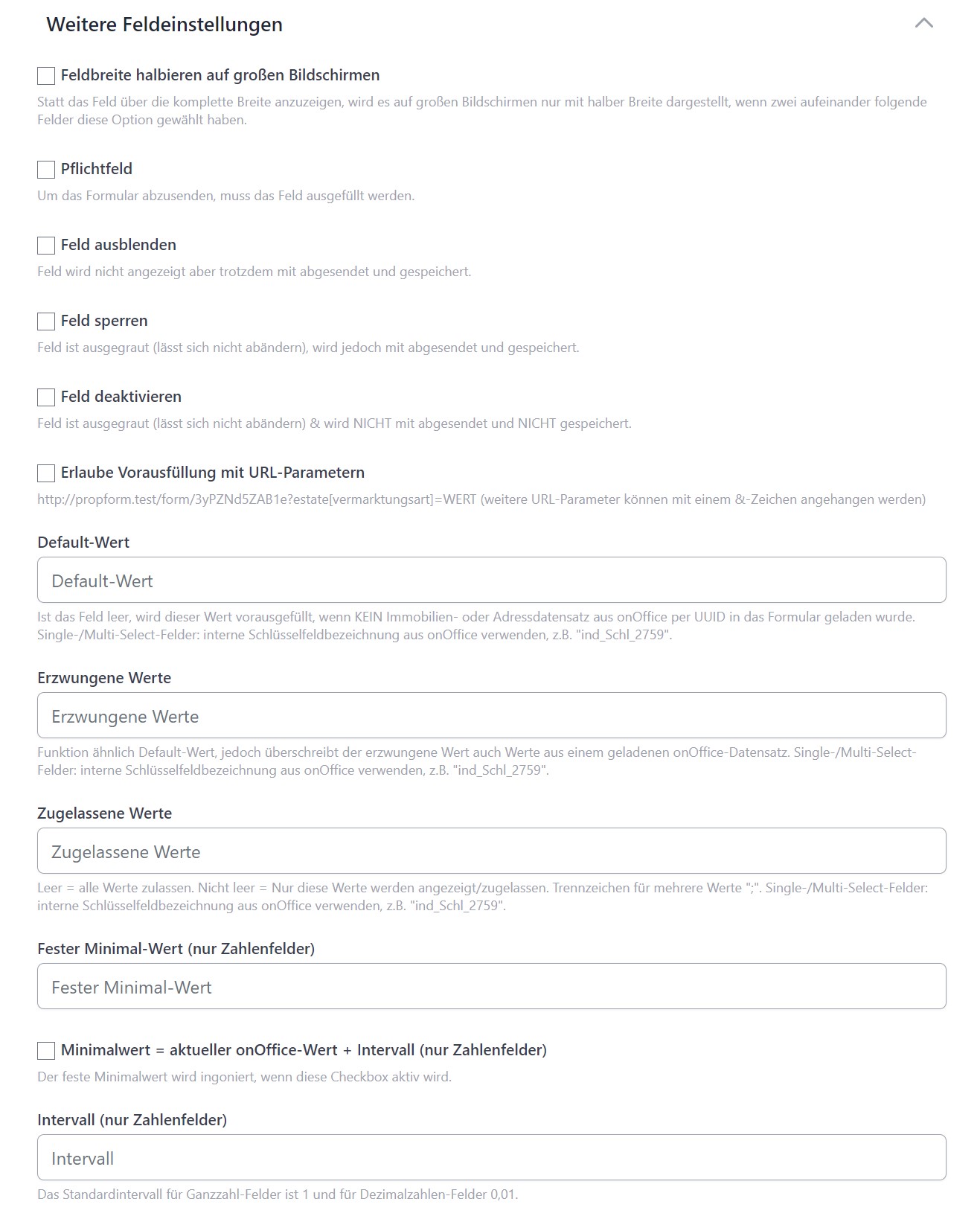
- Halve field width on large screens: Instead of displaying the field across the full width, it will only be displayed at half width on large screens if two consecutive fields have this option selected.
- Required field: If this box is ticked, the form can only be submitted if the field is filled in.
- Hide field: If this box is ticked, the field is hidden in the form. The field is still submitted, including its content.
- Lock field: If this box is ticked, the form user cannot change the field content and the field is greyed out. The field is still submitted, including its content.
- Disable field: If this box is ticked, the field content cannot be changed by the form user and is greyed out. However, the field and its content are not submitted.
- Allow pre-filling with URL parameters: If this box is ticked, the field can be pre-filled via a URL parameter. For example:
estate[objektart]=hausThe URL parameter to be used is shown in the tooltip below the tick. - Default values: If the form is opened empty, this value is entered into the empty field when the form is opened. For multi-select and single-select fields, the internal key name from the onOffice administration must be specified. Multiple values for multi-select fields are separated by ";".
- Forced values: Forced values override the default value, values from a loaded onOffice record and also from URL parameters. Furthermore, the form can only be submitted if the field contains the value entered here. Multiple values can also be entered, separated by ";".
- Allowed values: If one or more values are entered here, separated by ";", the form can only be submitted if the field matches one of these values. Furthermore, only these options are displayed for single-select and multi-select fields.
- Fixed minimum value (numeric fields only): If this is a numeric field, a minimum value for it can be specified here.
- Minimum value = current onOffice value + interval (numeric fields only): If this box is ticked, the numeric field must be at least the current value from onOffice plus the interval.
- Interval (numeric fields only): The increments by which a numeric field can be increased or decreased, e.g. 1000.
>In the case of default, enforced or permitted values in combination with select and multiselect fields, the key names from the onOffice administration must be specified, e.g. ind_Schl_1234.