Sample form: Tender process
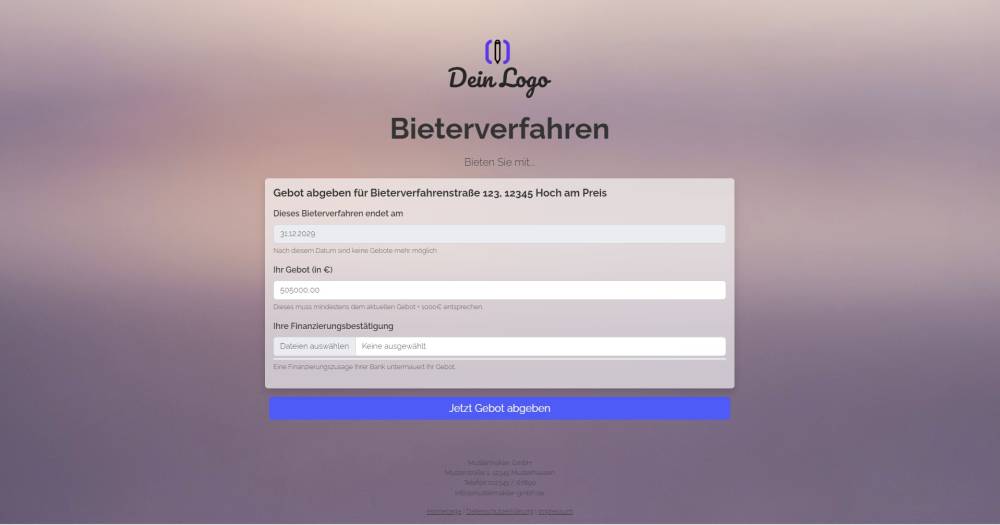
This form template allows prospective buyers to submit a higher bid for a property than the one currently on file in onOffice.
Explanation
This form template allows prospective buyers to submit a higher bid for a property than the one currently stored in onOffice.
The URL parameters "address[ID]" and "estate[Id]" in the form link ("https://example-en.propform.io/bieterverfahren?address[ID]=_Uuidaddress&estate[Id]=_Uuidestate") load an existing address and property record from onOffice into the form.
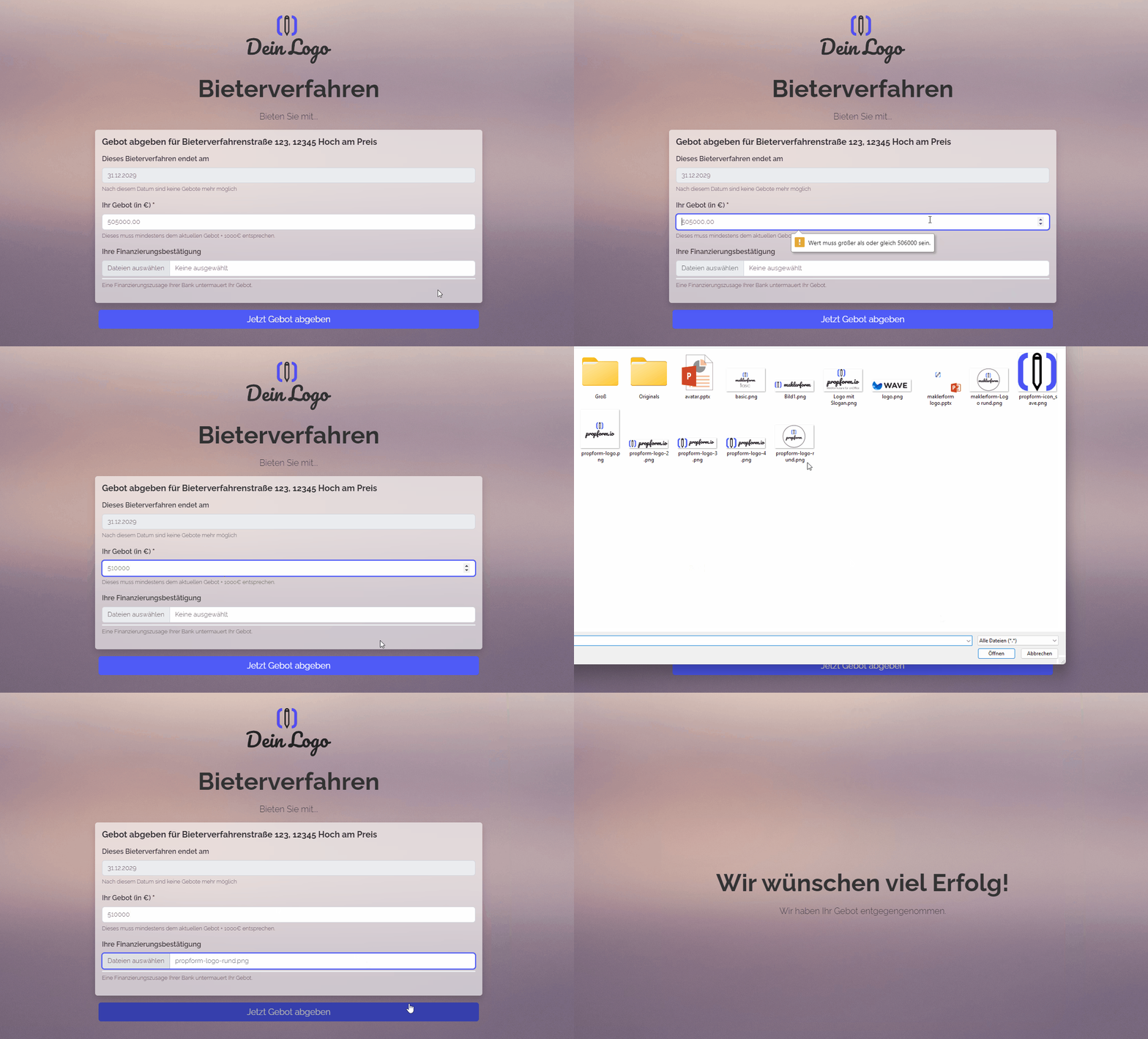
After the form is submitted, the current price in the onOffice field "bvMindestpreis" is automatically increased to the new bid. To be able to submit the form, the price entered in the form must be at least equal to the price currently stored in onOffice plus €1,000. In addition, an activity is created to document the bid price.
Instructions
- Copy the form from the template overview and activate it.
- Ensure that the fields "bvMindestpreis" and "bvEndeBietzeit" are enabled in your onOffice administration under "Extras"->"Settings"->"Administration"->"Input fields"->Module: "Real Estate"->Category: "Management".
- ✅ Done
Optional:
- If necessary, add further fields that are important to you, or delete fields you do not need.
- In the form settings, customise the written activity and task or deactivate them.
- If one or more emails are to be sent from onOffice after the form is submitted, e.g. to the form submitter and/or an internal colleague, configure the emails to be sent in "Form Settings" -> "Send Emails".
- If necessary, customise the styling, the URL suffix and the title of the form.
- In the "Form Settings" -> "Styling", specify whether you want to display the form as a multi-step form or as a one-pager.
Note
- The following setting is enabled for the "bvMinimumPrice" field: "Additional Field Settings" -> "Minimum Value = Current onOffice Value + Interval". The value 1000 is entered as the interval.
- The file upload field stores uploaded files in the address and also links the files to the activity.
Application
- The form is designed to be sent to potential interested parties/bidders who are already created in your onOffice version and to be used for bidding on a property that also already exists in your onOffice system.
- In your bidding process property, fill in the fields "bvMinimumPrice" with the starting price and "bvEndBiddingTime" with the end of the bidding period.
- Copy the third link from the top in "Form Settings" -> "Edit Property & Address" and paste it into a new email. The link looks similar to this: ("https://deinname.propform.io/deineformularurl?address[ID]=_Uuidaddress&estate[Id]=_Uuidestate")
- Link the relevant property to the email and send the email to all potential bidders as "separate recipients".
Advanced option
- Under "Form settings" -> "Advanced settings" -> "Expiry date required", you can set the form so that it is only accessible to link visitors until a specific date. If you tick this box, the link must be supplemented with the URL parameter "exp=YYYY-MM-DD hh:mm:ss". The date is the time until which the form is accessible.
- A useful addition would be a message, reason or free-text field that the customer can fill in. This could be achieved either via an additional address field or by adding the comment field from the Activity module. The message would then be written in the activity.