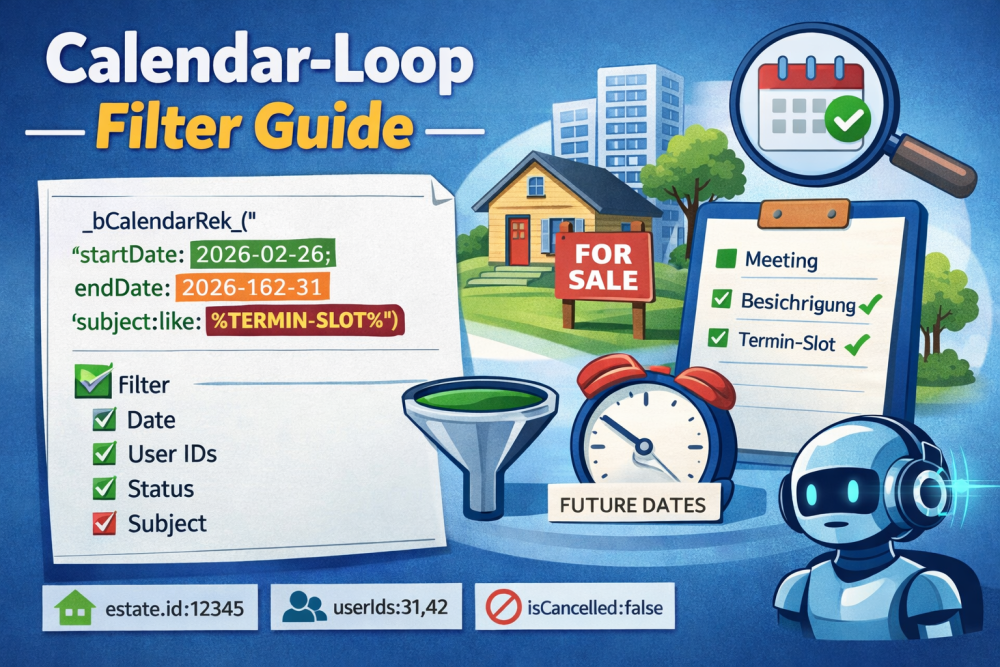
Calendar Loop: Filter Guide (MECE) for _bCalendarRek_(...)
With the Calendar Loop, you can dynamically display appointments (onOffice Appointments) – e.g. all future slot appointments for a property. To help you build filters quickly and correctly, here is the complete, clearly structured reference.
1) Quickstart: Minimal example
Time period only (required):
... Appointment output ...
_eCalendarRek_
Typical standard (future, not completed, not cancelled):
...
_eCalendarRek_
2) Filter syntax (grammar)
_bCalendarRek_("key:value;key2:op:value2;key3:a,b,c")
-
;means AND (all conditions must match) -
,means OR within a key (at least one value is sufficient) -
key:valueis identical tokey:=:value -
For
likeyou use wildcards:%TERMIN-SLOT%
3) MECE: What filters are available?
A) Mandatory parameters (exactly these two)
-
startDate:YYYY-MM-DD -
endDate:YYYY-MM-DD
Tip: “Future only” =
startDateset to “today”.
B) API filters (server-side, high-performance)
B1) Boolean flags (values are MECE: {true,false})
-
isCancelled:true|false -
isDone:true|false -
isRecurrent:true|false
B2) Participant filters (lists)
-
userIds:1,2,3 -
groupIds:10,11
B3) Text/Type/Creator filters (SQL operators)
These keys support operators:
-
subject -
notes -
type -
createdBy
SQL operators (MECE list):=, !=, <, <=, >, >=, between, like, not like, in, not in
Examples:
notes:not like:%intern%
type:=:Viewing
createdBy:=:max.mustermann
C) Propform/PHP filters (also possible on data fields)
Anything contained in the data fields of the AppointmentList can be filtered further – including nested filtering using dot notation.
Typical examples:
-
estate.id:12345(Appointments for a property) -
status.value:active -
confirmationStatus:sent -
private:false
Note: The API filters what the API can. Propform filters everything else accordingly.
4) Permitted values (MECE) for typical fields
status.value
Permitted values:
-
active -
completed -
canceled -
participantsAvailable
Example:
confirmationStatus
Allowed values:
-
canceled -
confirmed -
confirmed and canceled -
not-set -
sent
Example:
Booleans
Allowed: true or false (recommended: write exactly as shown)
5) Practical examples (Copy/Paste)
5.1 Future dates for a property, slots only
_AppointmentDateTime –
_AppointmentSubject_eCalendarRek_
5.2 Future appointments for a specific property
...
_eCalendarRek_
5.3 Appointments for a specific user or group only
...
_eCalendarRek_
...
_eCalendarRek_
5.4 Subject must allow multiple terms (OR)
...
_eCalendarRek_
5.5 Recurring events vs. one-off events
...
_eCalendarRek_
6) Copy/paste prompt for AI (so users get clean filters)
Prompt template (simply copy and fill in):
:- Required: startDate, endDate (YYYY-MM-DD)
- AND = ; OR within a key = ,
- Operators: =, !=, <, <=, >, >=, between, like, not like, in, not in-
like with %...%
- Additionally, PHP filters on data fields are permitted (e.g. estate.id, status.value, confirmationStatus, private)
Target
:- Period: [START] to [END]
- Property: estate.id = [ESTATE_ID] (or _Id)
- Subject contains: [STRING]
- Optional: isCancelled/isDone/isRecurrent, userIds, groupIds, confirmationStatus, status.value
Please provide:
1) the filter string in quotation marks
2) a short example snippet using _bCalendarRek_ ... _eCalendarRek_
7) Common pitfalls (brief)
-
startDate/endDateare mandatory, otherwise (depending on the implementation) default time periods or no results will be returned. -
If you use macros such as
_Idin the filter, the loop arguments must be resolved beforehand (propform does this automatically if you have enabled the pre-resolve logic). -
conflictsasdatafield can lead to empty responses depending on the setup → omit if necessary.